FreeTalk Messenger 다운로드
FREETALK MESSENGER LITE
Free AI chatbot. Real conversations.
Answer visitor questions with your own instructions, and continue the conversation with live chat and one-to-one voice calls.
Download LiteView setup guideDownload guide PDFTry the demo0.16.0 · WordPress 6.2+ · PHP 7.4+ · OpenAI API usage is billed separately.
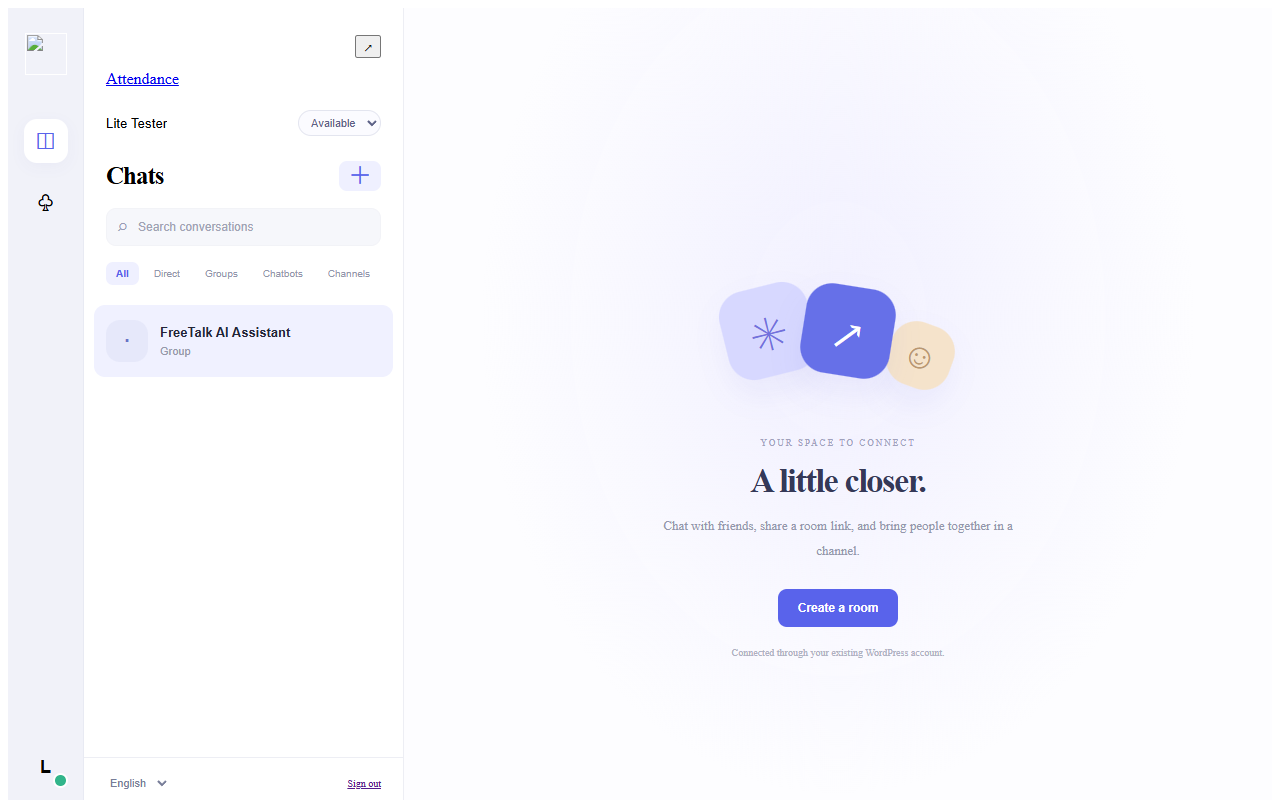
What is included
- Chat · Guest access · One-to-one voice calls
- AI chatbot replies · Floating support widget
- WordPress storage · Attachments up to 20MB
Lite uses default branding and WordPress attachment storage, up to 20MB per file. Lower hosting upload limits still apply. AI translation, Google Drive, custom branding and encrypted regular conversations require Pro.
AI CHATBOT · LITE
Welcome visitors with a free AI chatbot.
Add your business details, FAQs, opening hours and response rules. AI replies using those instructions, while your team can review each visitor conversation and respond directly.
Private visitor conversations
A shared support-room link keeps each visitor conversation separate from other visitors.
Answers guided by your content
Write your product information, opening hours and FAQs in WordPress admin. AI answers may need human review.
Four characters and a floating widget
Choose Geometric, AI, Adults or Children, and add a floating support launcher to your site.
The chatbot feature is free in Lite. Your own OpenAI API key and separate API usage fees are required. Translation, branding and custom image uploads are Pro features.
Installation
Download the ZIP. In WordPress admin, open Plugins → Add Plugin → Upload Plugin. Install and activate the ZIP, then open FreeTalk Messenger. Use HTTPS for microphone access. Your WordPress administrator language is supported in English, Korean and Simplified Chinese.
QUICK START · LITE & PRO
AI chatbot setup & API keys
- Create a support room
Create a private-per-visitor support room in Messenger and copy its share link. - Paste your chatbot room link
In WordPress admin → FreeTalk Messenger → ChatGPT integration, enter the support room link. - Create an OpenAI API key
Sign in to OpenAI Platform and select a project. Configure API billing or credit, then create a new secret key under API keys. Copy it into the OpenAI API Key field in the plugin settings and save. Never publish the key on a public page or in chat. - Add response instructions and enable replies
Enter your business details, opening hours, FAQs and response rules. Enable AI replies, then send a question from a new visitor session to test the answer.
ChatGPT subscriptions and OpenAI API billing are separate. Set both the plugin request limit and your project budget.
FREETALK MESSENGER LITE
무료 AI 챗봇으로 시작하는 대화.
직접 작성한 안내로 방문자 질문에 자동응답하고, 실시간 채팅과 1:1 음성통화로 대화를 이어가세요.
Lite 무료 다운로드설정 가이드 보기가이드 PDF 다운로드체험하기0.16.0 · WordPress 6.2 이상 · PHP 7.4 이상 · OpenAI API 사용료 별도
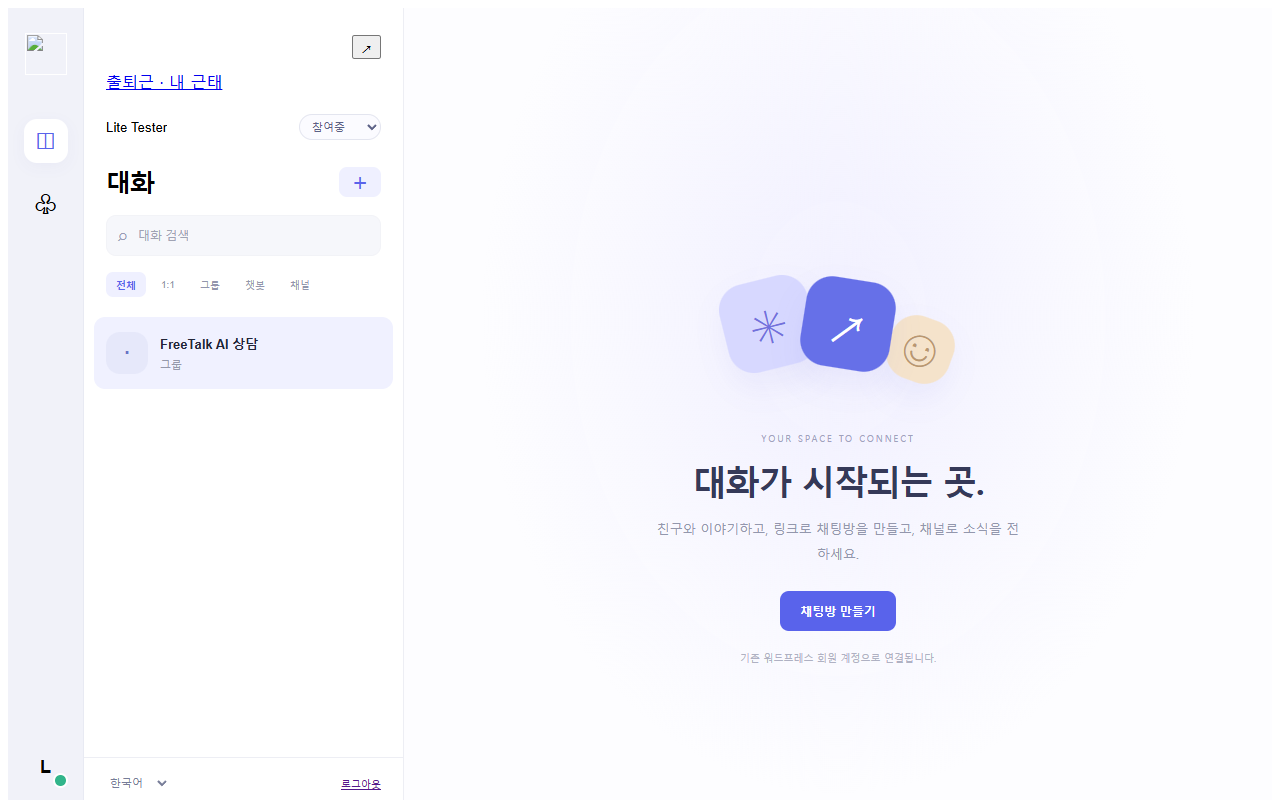
제공 기능
- 일반 채팅 · 비회원 참여 · 1:1 음성통화
- AI 챗봇 자동응답 · 플로팅 상담 위젯
- WordPress 저장 · 첨부파일 최대 20MB
Lite는 기본 브랜딩과 WordPress 첨부 저장을 사용하며 파일당 최대 20MB입니다. 호스팅 업로드 한도가 더 작으면 해당 한도가 적용됩니다. AI 번역·Google Drive·브랜딩 변경·일반 대화 암호화는 Pro 기능입니다.
AI CHATBOT · LITE
무료 AI 챗봇으로 방문자를 맞이하세요.
회사 소개·FAQ·운영시간·답변 규칙을 등록하면 AI가 그 안내를 바탕으로 방문자의 질문에 자동응답합니다. 상담자는 방문자별 대화를 확인하고 직접 답변할 수도 있습니다.
방문자별 비공개 상담
같은 상담방 링크를 사용해도 방문자끼리 대화 내용이 섞이거나 노출되지 않습니다.
내 안내에 맞춘 답변
운영시간·상품 안내·자주 묻는 질문을 관리자 화면에서 직접 작성하세요. AI 답변은 검토가 필요할 수 있습니다.
캐릭터 4종과 플로팅 위젯
도형·AI·성인용·아동용 이미지를 선택하고 사이트 하단에 상담 열기 버튼을 표시하세요.
챗봇 기능은 Lite에서도 무료입니다. 본인 OpenAI API 키와 별도 API 사용료가 필요합니다. 자동번역·브랜딩·사용자 이미지 업로드는 Pro 기능입니다.
설치 방법
ZIP을 다운로드한 뒤 WordPress 관리자 → 플러그인 → 플러그인 추가 → 플러그인 업로드에서 설치하고 활성화하세요. FreeTalk 메신저 메뉴를 엽니다. 마이크 사용에는 HTTPS가 필요합니다. 관리자 화면은 WordPress 관리자 언어에 따라 한국어·영어·중국어로 표시됩니다.
QUICK START · LITE & PRO
AI 챗봇 설정과 API 키 발급
- 상담방 만들기
메신저에서 방문자별 비공개 상담방을 만들고 공유 링크를 복사합니다. - 챗봇 링크 넣기
WordPress 관리자 → FreeTalk 메신저 → ChatGPT 연동에서 상담방 링크를 입력합니다. - OpenAI API 키 발급
OpenAI Platform에 로그인하고 프로젝트를 선택합니다. Billing에서 API 결제 수단·잔액을 설정한 뒤 API keys에서 새 비밀 키를 만듭니다. 발급된 키를 복사해 관리자 페이지의 OpenAI API Key 항목에 저장합니다. 키는 공개 페이지나 채팅에 올리지 마세요. - 응답 안내 작성 후 사용
사업 소개, 운영시간, 자주 묻는 질문, 답변 규칙을 입력하고 AI 자동응답을 켭니다. 새 방문자 화면에서 질문을 보내 답변을 확인합니다.
ChatGPT 유료 구독과 OpenAI API 요금은 별개입니다. API 호출 한도와 프로젝트 예산을 함께 설정하세요.
FREETALK MESSENGER LITE
用免费 AI 聊天机器人开启对话。
按照您填写的说明自动回答访客问题,并通过人工聊天和一对一语音继续沟通。
免费下载 Lite查看设置指南下载 PDF 指南在线体验0.16.0 · WordPress 6.2+ · PHP 7.4+ · OpenAI API 使用费另计
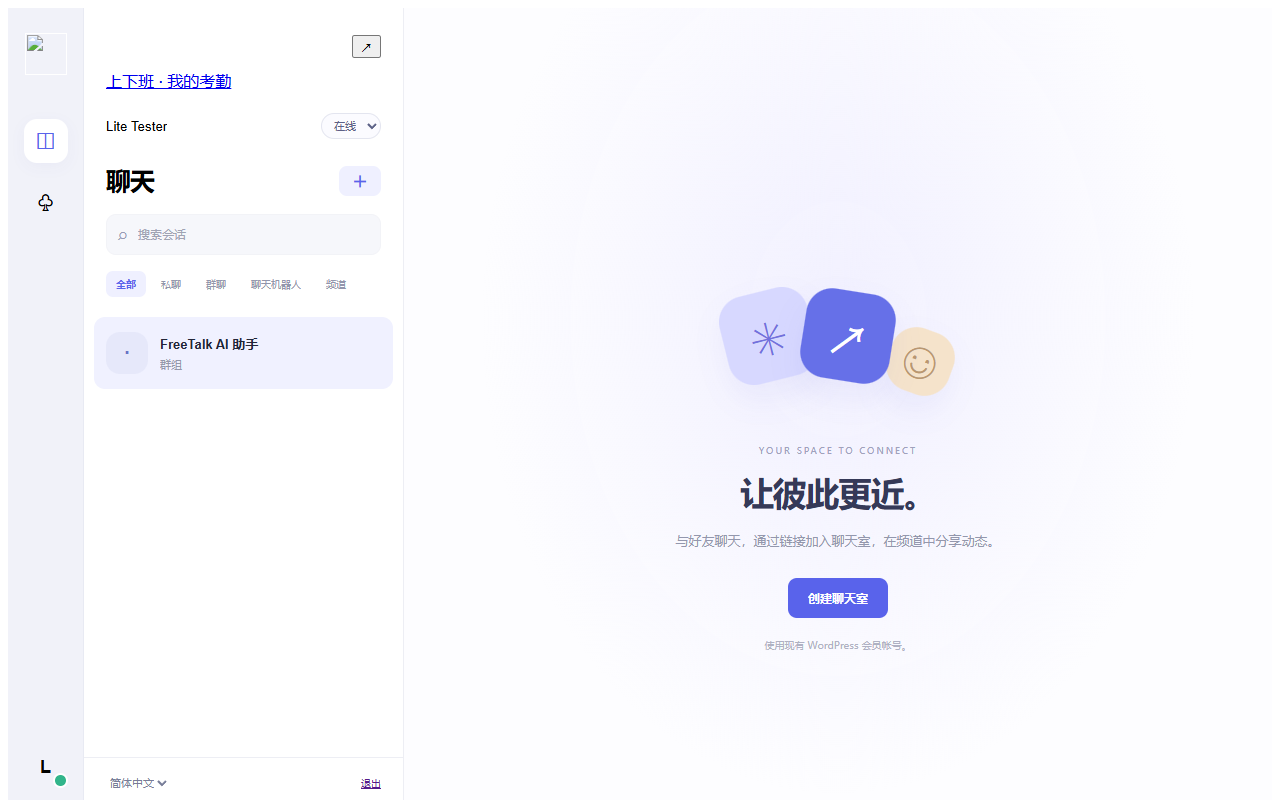
包含功能
- 聊天 · 访客加入 · 一对一语音
- AI 自动回复 · 悬浮咨询组件
- WordPress 存储 · 附件最大 20MB
Lite 使用默认品牌和 WordPress 附件存储,每个文件最大 20MB;较低的主机上传限制仍适用。AI 翻译、Google Drive、品牌定制和普通会话加密为 Pro 功能。
AI CHATBOT · LITE
用免费的 AI 聊天机器人迎接访客。
填写业务介绍、常见问题、营业时间和回复规则,AI 将依据这些说明自动回答。工作人员也能查看各访客会话并直接回复。
访客独立私密会话
即使使用同一咨询链接,不同访客之间也不会共享会话内容。
依据您的说明回答
在 WordPress 后台填写商品信息、营业时间及常见问题。AI 回复可能需要人工审核。
4种形象与悬浮组件
选择几何、AI、成人或儿童形象,并在网站添加悬浮咨询入口。
Lite 免费提供聊天机器人功能。需自己的 OpenAI API 密钥,API 使用费另计。自动翻译、品牌定制和自定义图片上传为 Pro 功能。
安装方法
下载 ZIP,在 WordPress 后台 → 插件 → 添加插件 → 上传插件中安装并启用。打开 FreeTalk Messenger 菜单。麦克风访问需要 HTTPS。后台根据 WordPress 管理员语言显示英语、韩语或简体中文。
QUICK START · LITE & PRO
AI 聊天机器人设置与 API 密钥
- 创建咨询室
在聊天工具中创建按访客隔离的私密咨询室,并复制分享链接。 - 填写聊天机器人链接
在 WordPress 后台 → FreeTalk Messenger → ChatGPT 连接中填写咨询室链接。 - 创建 OpenAI API 密钥
登录 OpenAI Platform 并选择项目。设置 API 付款方式或余额,然后在 API keys 中创建新的密钥。复制到插件设置的 OpenAI API Key 字段并保存。请勿在公开页面或聊天中泄露密钥。 - 填写回复说明并启用
填写业务介绍、营业时间、常见问题和回复规则。启用 AI 自动回复后,以新的访客身份发送问题,检查回答。
ChatGPT 订阅与 OpenAI API 计费独立。请设置插件请求上限和项目预算。