FreeTalk Messenger Demo
FREETALK · LIVE DEMO
직접 대화해 보세요.
설치 전에 FreeTalk Messenger의 실제 대화 화면을 체험하세요.
체험방 입장 →대화명만 입력해 비회원으로 참여할 수 있습니다.
API 발급 · 설정 가이드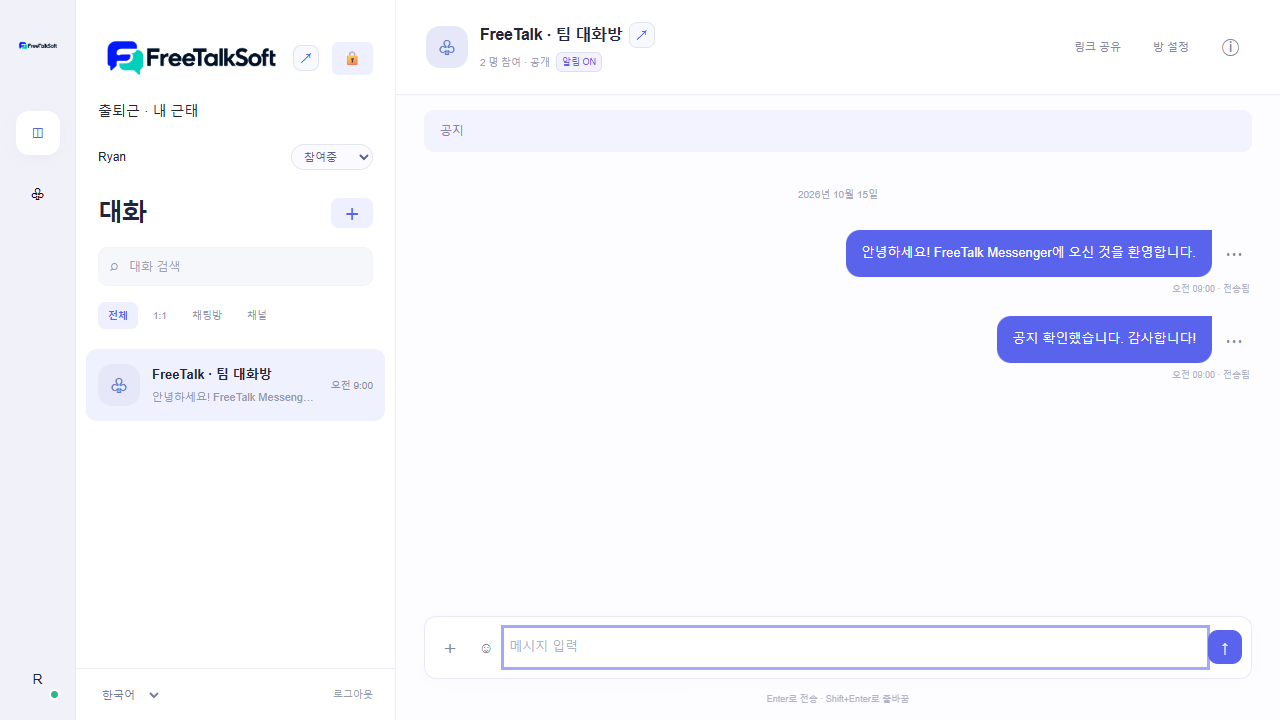
01
메시지 · 이모지 · @멘션
메시지를 보내고 반응과 참여자 메뉴를 확인하세요.
02
둘이서 음성통화
친구에게 체험방 링크를 공유한 뒤 참여자 목록에서 전화를 걸어보세요. Chrome·마이크 권한이 필요합니다.
03
다국어 메시지 번역
번역 ON 상태에서 다른 참여자가 외국어 메시지를 보내면 선택한 메신저 언어로 번역됩니다. API 연결 상태와 이용 한도가 적용됩니다.
공개 체험방입니다. 개인정보나 실제 업무 파일을 올리지 마세요. 다른 체험 참가자에게 메시지가 보입니다.
다운로드 및 기능 비교FREETALK · LIVE DEMO
Try a real conversation.
Explore FreeTalk Messenger before installing it on your website.
Enter live demo →Join as a guest using only a display name.
API key & setup guide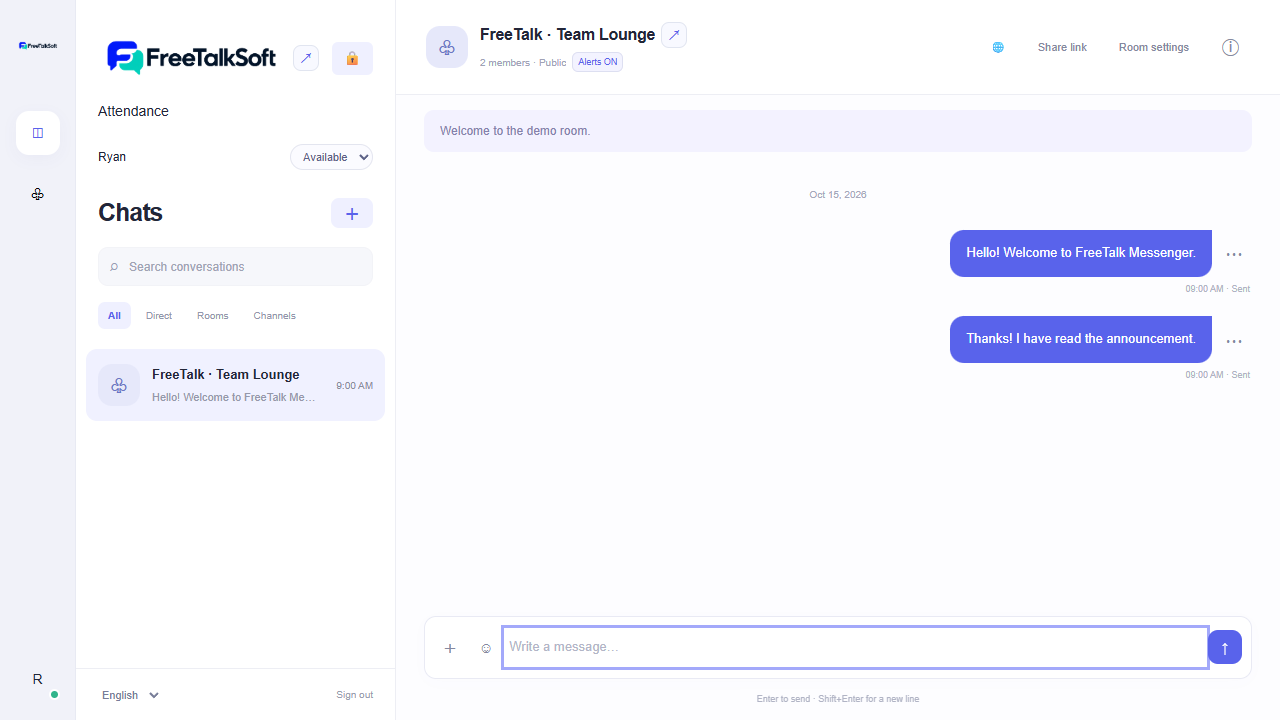
01
Messages, emoji & mentions
Send sample messages and explore reactions and the participant menu.
02
One-to-one voice calls
Share the demo link with a friend, then call them from the participant list. Chrome and microphone permission are required.
03
Multilingual message translation
Turn translation ON. Messages from another participant are translated into your selected messenger language, subject to API availability and usage limits.
This is a public demo. Messages are visible to other visitors. Please do not share personal information or business files.
Downloads & comparisonFREETALK · LIVE DEMO
亲自体验对话。
安装前,先体验 FreeTalk Messenger 的真实聊天界面。
进入在线体验 →输入昵称即可作为访客加入。
API 密钥与设置指南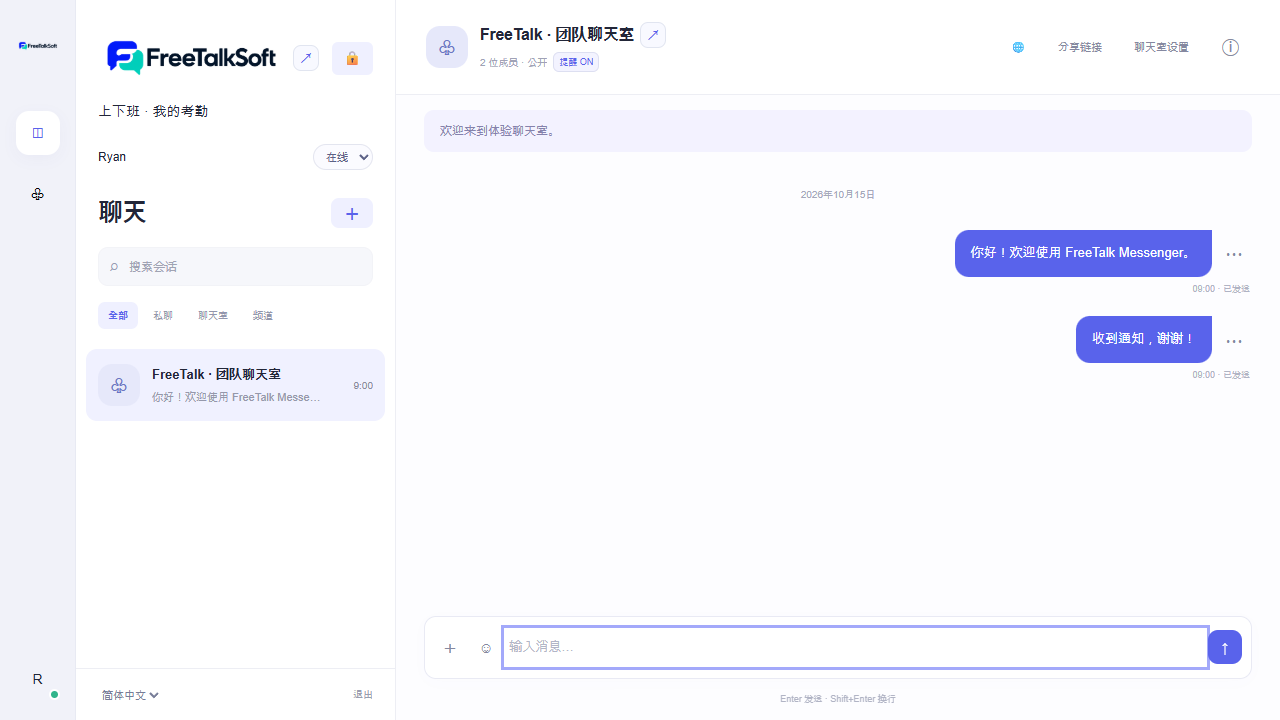
01
消息、表情与 @提及
发送测试消息,体验表情回应和参与者菜单。
02
一对一语音通话
与朋友分享体验链接,然后在参与者列表中呼叫对方。需要 Chrome 和麦克风权限。
03
多语言消息翻译
开启翻译后,其他参与者的外语消息将翻译为您选择的界面语言。受 API 连接和使用限额约束。
这是公开体验室,消息对其他访客可见。请勿发送个人信息或实际业务文件。
下载与功能对比